Setup
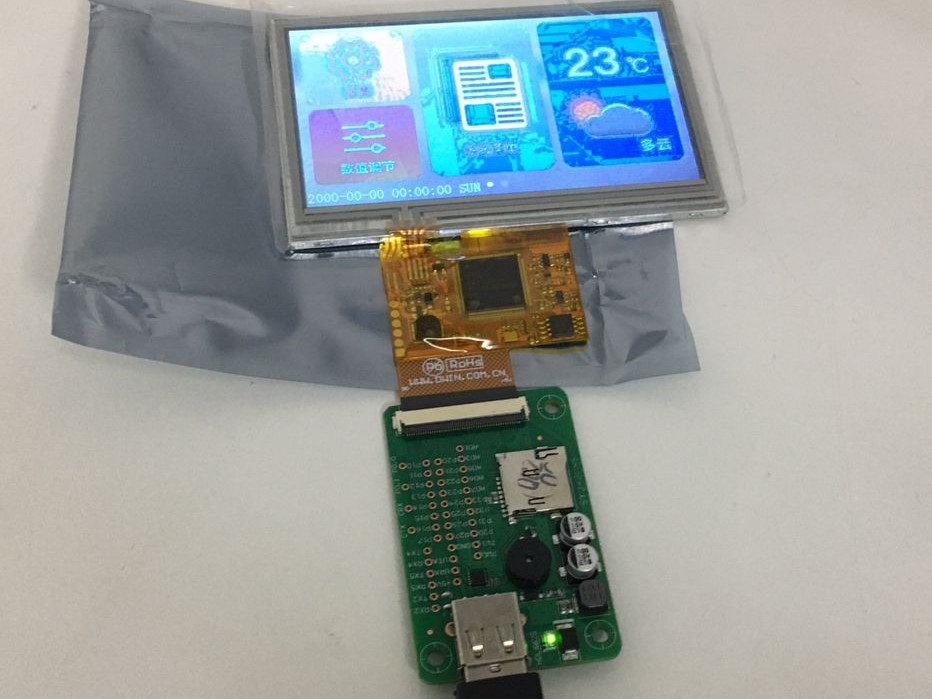 I bought DWIN COF 4.3 inch display from robu along with HDL66A adapter board. These 2 connected to PC USB port with male to male USB cable.
Default HMI interface is in chinease and I want to use my own UI.
Development Tools
Demo project
I downloaded Demo GUI
Using tutorial when I tried to download project as is, it was not successful. But then I made sure resolution is changed to matching with my COF display (480 * 272) I was able download files and see change in factory programmed UI.
Next task is to download through SD card.
Hello world
After downloading above project. I tried my own hands on hello world program after following many youtube videos and tutorials but not able to run on target HMI. Program was simulating properly on DGUS software, but when downloaded on HMI shows static screens which were not part of hello world program.
To fix this I downloaded factory demo for my model DMG48270F043_01WTR board.
I observed DWIN_SET files in factory demo do not include 32.icl as mentioned in other projects but infact contain 24.icl. Hence after chaning output file name to 24.icl and making changes in configuation. I was able to download and run my Hello world program successfully.
Hello World is availble in github for referance.
Formatting SD card
SD card size limitations as per documentation in 1 to 16 GB. For my system card was on D drive hence I issued folloing command
FORMAT d:/fs:fat32/a:4096
This took almost 10 minutes or more to format 16 GB of card.
After copying it to SD card, and restarting still no blue boot screen. But previous UI also do not start.
Till I figure out this I will continue explore using USB download.
DWIN display memory layout
Flash
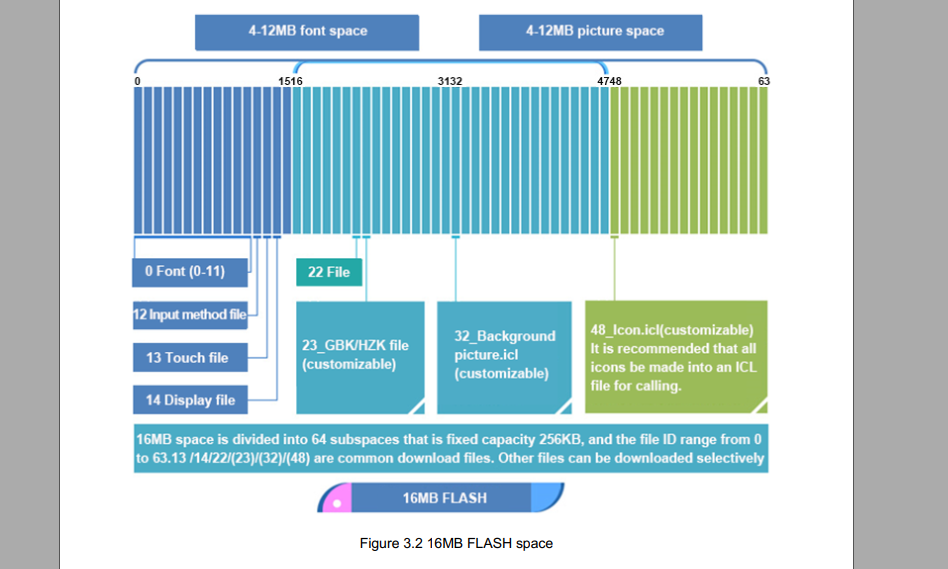
16 MB of flash is divided into 64 sectors of each 256 KB. Each sector index 0 to 63 will have file names accordingly.
RAM
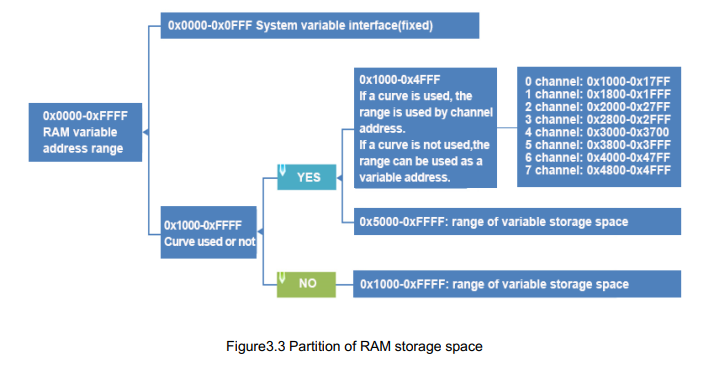
128 KB flash is aligned as 2 bytes continuous memory. Address 0x0000 to 0x0FFF is reserved for system variable.
UI development
Interface objects
If we assume model view controller (MVC) architecture we can consider interface objects as model.
Variable Pointers (VP)
DGUS uses simple memory map address similar to MODBUS protocol to issue read/write commands and read/write data. GUI objects called as interface objects values are stored in memory addresses called as Variable Pointers (VP). VP values are modified only by user interaction.
Description Pointers (SP)
A description pointer is a VP whose value can be modified by user using communication interface.
Its UI developers responsibility to make sure VP length should be such that there addresses are not overlapped.
Controls
These are view of MVC architecture. Control have minimum 5 properties/parameters