Search in visual mode
Follow the steps:
- Select visual mode by V or select block or column by using CTRL_V
- Press escape to exit visual mode
- Search
/as you do for regular search
Edit multiline together
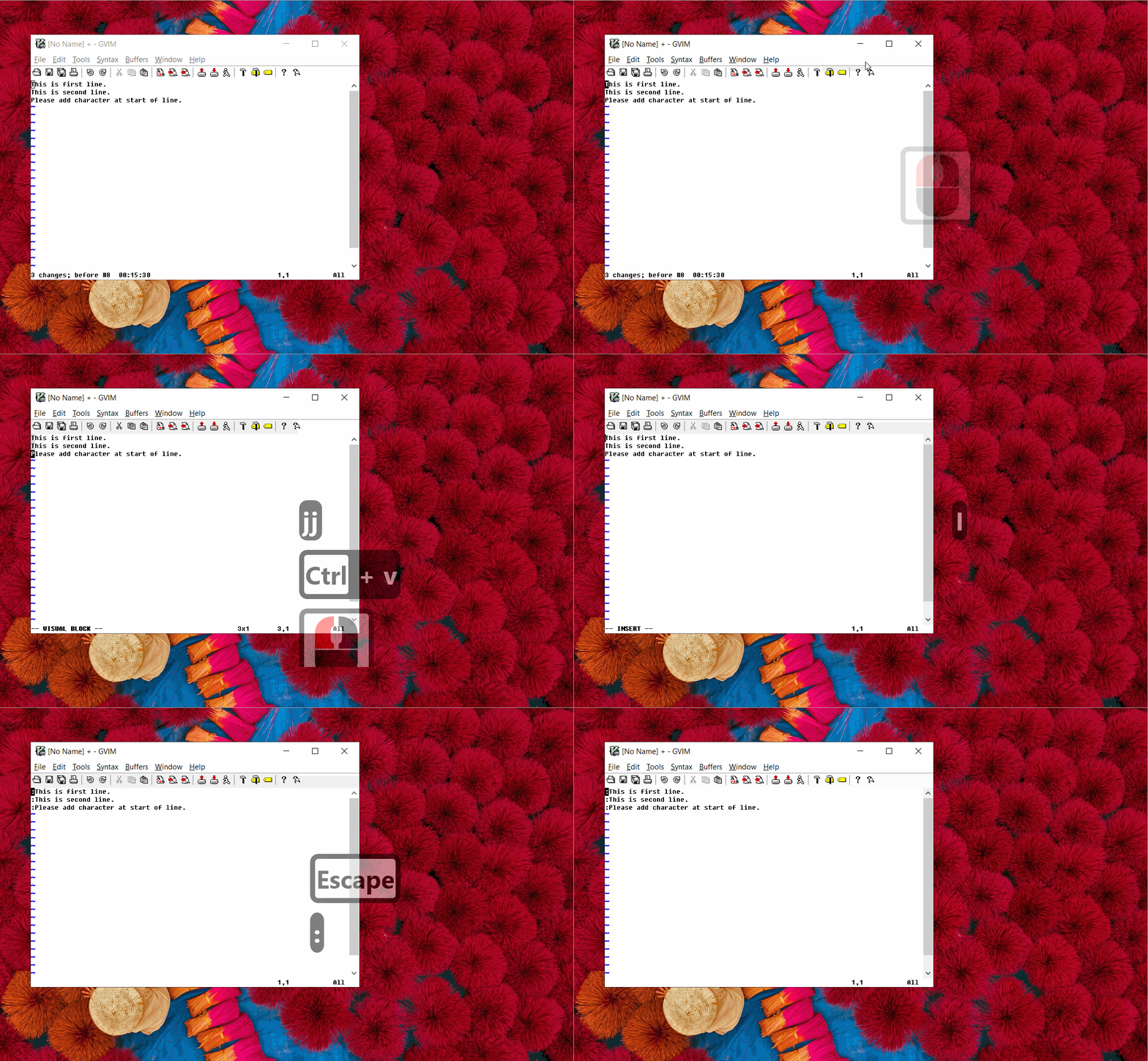
In various case I need to append or insert test at multiple lines like adding semicolon at the end of lines. I followed below steps
- CTRL+V to select block.
- Press I to insert at start.
- Type character at first line.
- Escape and you will see same character is applied to all the selected lines.
Spell check
Add word to spell check dictionary
Vim stores good words in ‘spellfile’. Place cursor on wrong word and press
zg